
Article
How I Use AI to Build Systems That Don't Need AI
Most AI workflows should be temporary. Here's the exact process for prototyping with AI, then turning those processes into deterministic scripts and workflows that cost next to nothing to run.
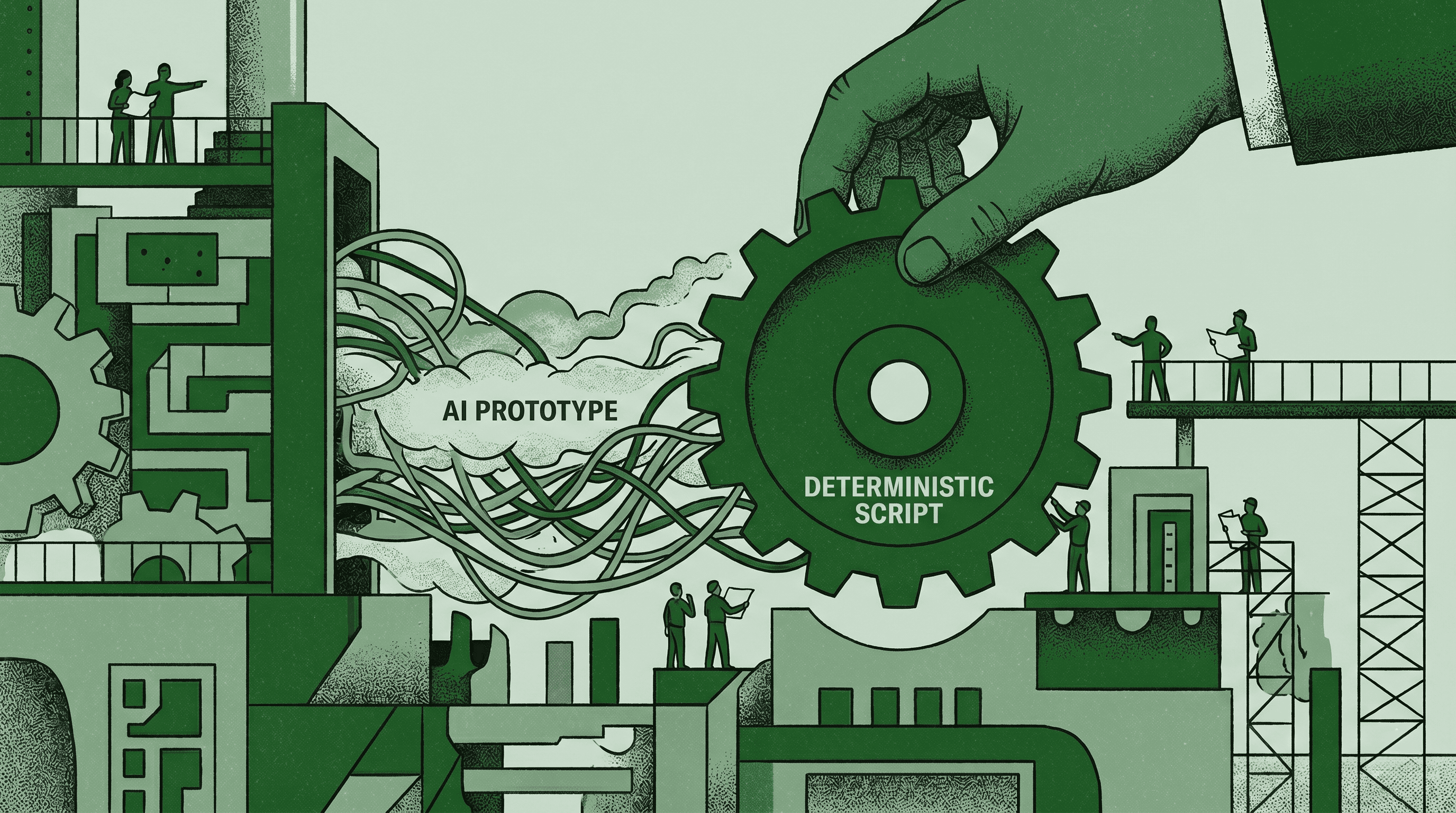
AI is the fastest way to build a system. But your goal for every production workflow should be to run as little AI as possible.
I've built dozens of production systems using AI in the last two years. Content pipelines, reporting dashboards, lead enrichment workflows, competitive intel monitors. Almost every single one started as an AI-powered workflow, and the best of them don't use AI anymore.
That sounds counterintuitive if you're deep in the AI automation world right now. Everyone's building agents, chaining LLMs, adding AI to everything. I did the same thing and then I looked at the bills.
The approach I use now at both V7 and my agency is straightforward: use AI to prototype fast, find the logic, validate the output. Then harden it into something deterministic that costs little to nothing to run. Get AI to build the system, and then replace it.
Easier said than done, so here's exactly how I do it.
The 80% Trap
AI gets you to 80% so fast it feels like you're done. You're not.
The prototype works and they're usually impressive. You show it to your team or your client, and everyone's excited. It pulls the right data, formats it correctly, delivers the output on time. So you keep running it, sometimes up to fifty times a week, for a whole quarter. Then the API bill shows up at the end of that third month.
A workflow that costs $2 per run, running 50 times a week, adds up to $5,200 a year. The deterministic version of that same workflow (a Python script or an n8n automation) costs $650 for the whole year after you build it. Same output with minimal ongoing cost.
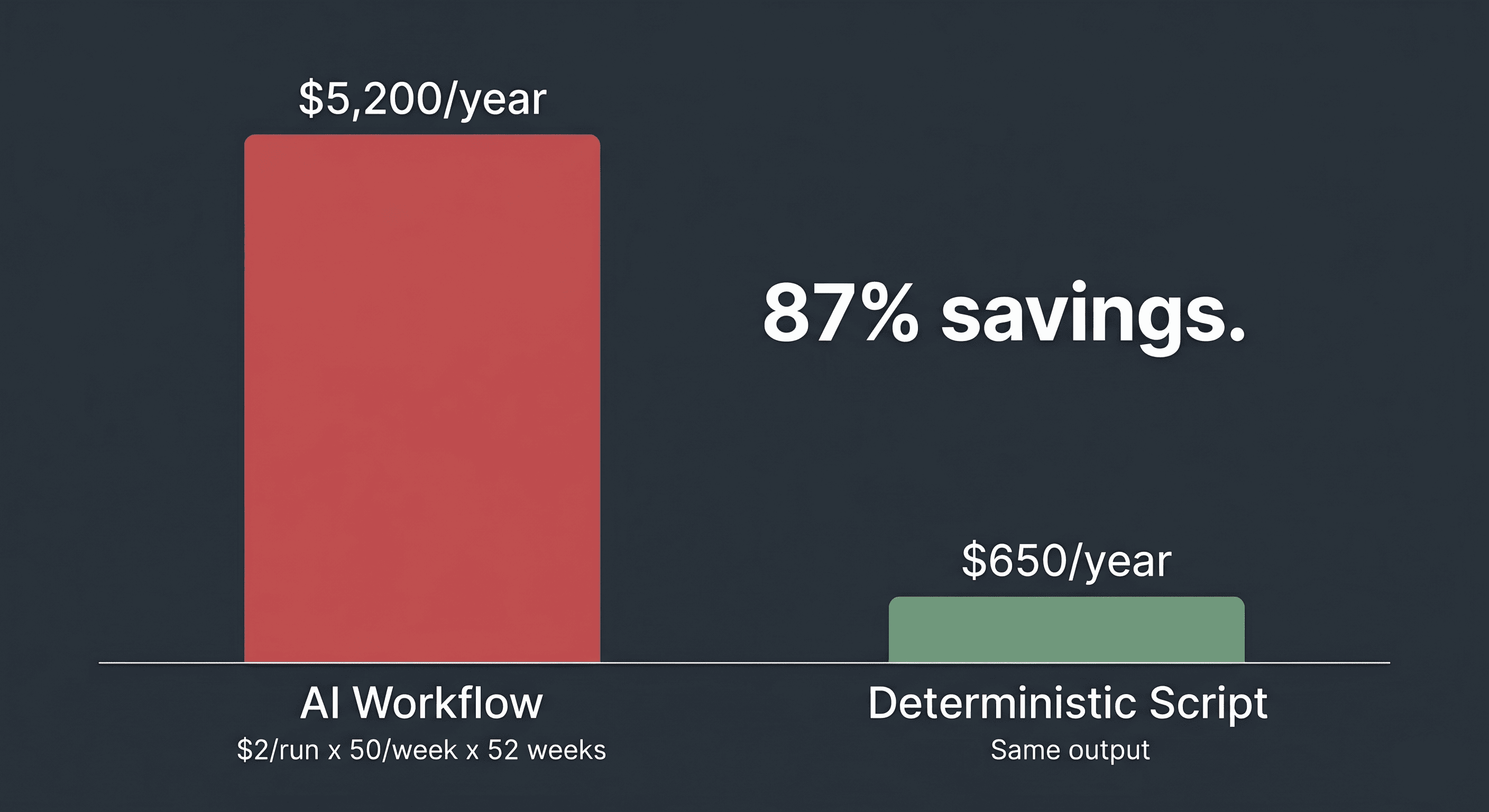
The reason people get stuck at 80% isn't that going deterministic feels like a downgrade. It's that AI is so easy to start with, there's basically no barrier to entry if you can type. Even then, if you have WhisprFlow you can just talk. You respond into a chat, you get a result. There's no setup, no configuration, no deployment. That convenience creates a trap where you never graduate from the prototype.
Then you end up paying 10x in API costs six months later because you never pushed through the last 20%.
How I Actually Build Systems
Most of my workflows start inside Claude Code. I use MCP servers and native connectors to pull data from multiple sources, build quick reports, automate data pulls, write up responses, brainstorm options, or just get my work done faster. It's my default environment for getting things done.
If I keep running the same workflow a few times a week inside Claude Code, then that's usually my signal to automate that process. The repetition ends up being my diagnostic signal that something could be optimized here.
The progression follows a natural escalation path:
Claude Code ad-hoc. Doing it manually each time, just faster with AI helping.
Claude Code Skills/Routines. Packaging the workflow so it runs with one command instead of re-explaining it every time.
Cron jobs or GitHub Actions. Scheduling it to run on its own. No human trigger needed.
Full n8n or programmatic workflow. It runs deterministically based on a webhook, external trigger, or schedule, with minimal or no AI in the loop.
Hand it off. The workflow is deterministic, documented, and no longer depends on me. A teammate or new hire can own it without understanding how it was built. I'm out of the loop entirely.
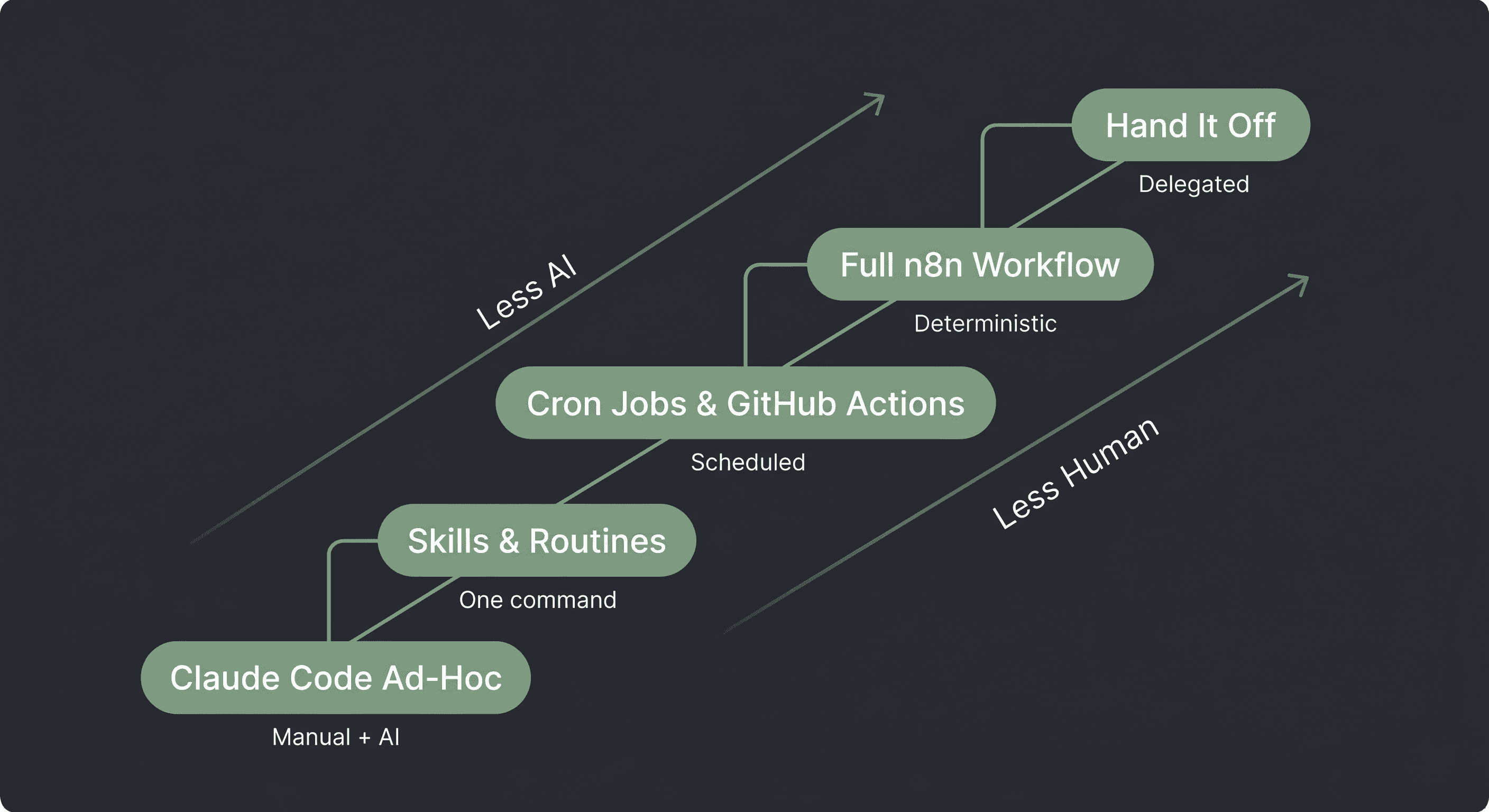
Each step removes more human involvement and more AI dependency. By step 5, the workflow runs itself, costs almost nothing, produces the same output every time, and someone else owns it. Which is how you stop being the bottleneck.
The SE Hours Dashboard
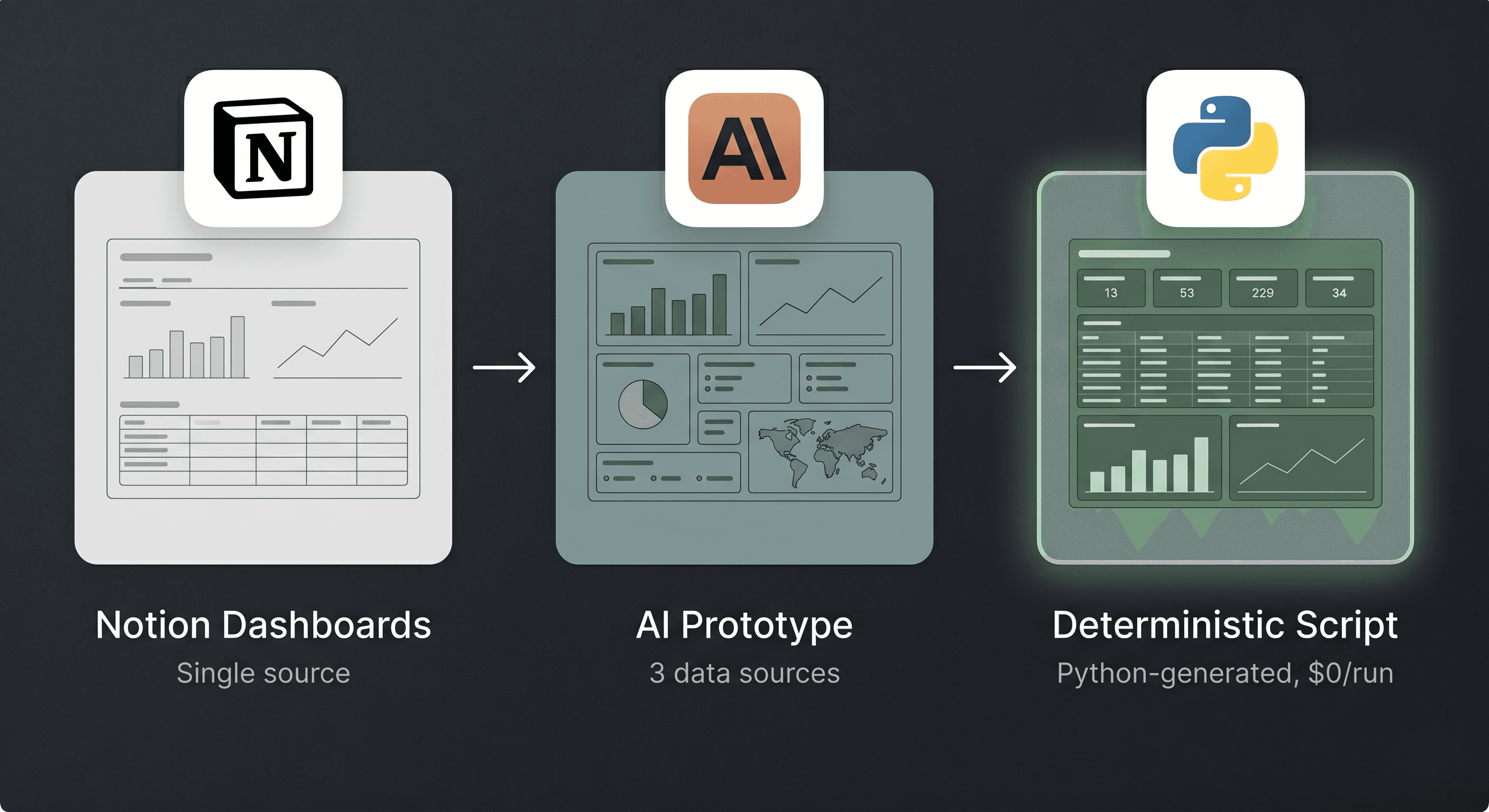
The FDE team at V7 started by tracking Solution Engineering hours in Notion databases. We built the first dashboards using Notion's built-in graphs, tables, and visualizations. It worked fine when the team was small.
Then the team grew and we needed to incorporate data from HubSpot CRM and our V7 Go Agent platform alongside the Notion data. We used Claude to prototype dashboard layouts, combined data from all three sources into unified tables, and iterated on the format until we found one the team actually used.
Then we had Claude write a Python script to generate that exact output deterministically from all three data sources every time. AI designed the layout, AI built the replacement script, and now the dashboard runs without AI touching it.
The Lead Enrichment Migration
At my agency, I almost always start enrichment workflows in Clay because it's the fastest way to prototype. I can test different data providers, experiment with enrichment logic, and figure out exactly what data points matter for a given prospect list.
Once I know what I need and how to transform it, I migrate as much of the workflow as I can to n8n or something more deterministic. But still, sometimes it makes sense to keep those workflows in Clay, because it's cheaper/faster/better to have that specific production workflow live there.
AI can write the deterministic automation that replaces itself. Claude writes the Python script. Claude builds the n8n workflow spec. Claude architects its own replacement. You don't need to be a developer to make this work. You just need to be disciplined enough to ask for it, and be able to clearly articulate what you need.
The Frequency Test
If you're running the same workflow daily or several times a week, that's your signal.
The diagnostic is simple and straightforward. If a task is logical, repeatable, and runs digitally, it's a prime target for deterministic automation. It doesn't need AI. It needs a script.
What I do at both V7 and my agency: run time audits of repeating tasks across the team. Map which workflows, jobs to be done, or tasks are repeating and logical in nature, then help clients lay them out on paper. Then I use AI to come up with the first spec for automating that workflow, and iterate from there. The goal is always landing on a deterministic workflow as the output, with minimal AI unless the problem genuinely requires it.
Most of the time, it doesn't. Most of the time, the workflow is doing the same thing over and over with the same logic, which means it could just as easily be a script, not an agent.
Deterministic Doesn't Mean Dumb
Removing AI from a workflow sounds like a downgrade, but in reality it's the opposite.
The output stays the same. It runs cheaper, faster, and more reliably. You're gaining predictability without losing capability or spending more. A Python script that runs the same logic every time will never hallucinate, never cost you per execution, and never go down because an AI provider has an outage.
AI earns its keep in the genuinely ambiguous 20%. On-the-spot analysis where the input varies every time. Outputs that legitimately change shape based on context. Interpretation that requires reasoning and not lookup.
An enrichment workflow that checks 8 data points against a database is deterministic. Interpreting whether a prospect's hiring pattern signals buying intent requires judgment. The first one is a script that AI can help you develop, and the second one is where AI can own the workflow.
The Solution Pyramid framework proposed by Nate Herk captures this well. It's got three tiers:
Bottom: deterministic workflows, no AI, cheap, reliable.
Middle: AI workflows with an LLM in a structured pipeline.
Top: AI agents operating autonomously with maximum risk and maximum cost.
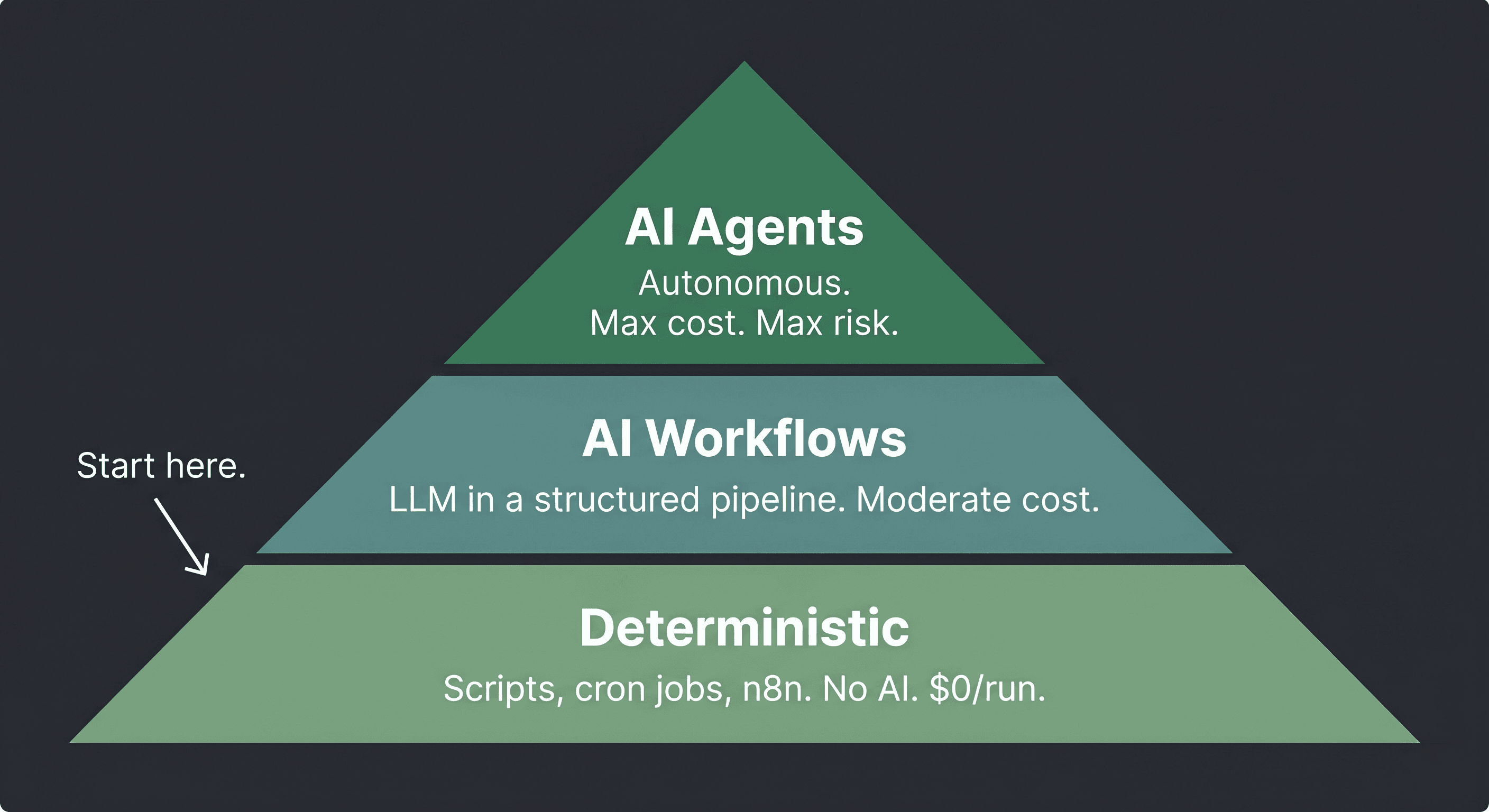
Start at the bottom and only move up when the problem demands it. Most problems live at the bottom two tiers, but most teams start at the top.
Prototype, Harden, Sprinkle
Prototype with AI to discover the logic and validate the output. Get to 80% fast. Experiment with different approaches, iterate on the format, try multiple versions. This is where AI is at its best: speed and exploration.
Harden by identifying which steps produce consistent outputs and replacing them with deterministic alternatives. Python scripts, n8n workflows, cron jobs, GitHub Actions. Each piece you harden reduces cost and increases reliability. Progressive hardening means you chip away at the AI dependency piece by piece, not all at once.
Sprinkle AI on the parts that genuinely need it. The ambiguous 20% where the output varies, where reasoning matters, where the input is unpredictable. Use AI sparingly and deliberately, not as a default.
Why This Matters More Right Now Than Six Months Ago
AI costs per token are going up, not down. Organizations that budgeted for a year of AI spend are burning through it in a quarter. Some are discovering that running AI on every workflow is more expensive than just having a person do the work manually. The economics are shifting fast, and teams that treated AI as a permanent production layer are starting to get caught with their pants down.
Which is exactly why progressive automation matters, because every workflow you turn into a deterministic script is a workflow that stops drawing on your AI budget entirely. Every agent you replace with an n8n automation or a cron job is money back in the budget for the problems that actually need AI. The teams that will thrive are the ones using AI in the fewest, highest-impact places and running everything else on infrastructure that costs nothing per execution.
I use AI every day and I build with it constantly. The discipline is knowing where AI adds real value versus where you're paying for convenience, and the teams that get this right will build faster, spend less, and scale without their infrastructure costs scaling with them.
The ones that run everything through AI will wonder why their margins keep shrinking.